Creating the Directory and a Subdirectory within it
To create a directory and a subdirectory, simply go to the "Remote applications" tab within "Launcher", then click on "Upload" to access the directory.

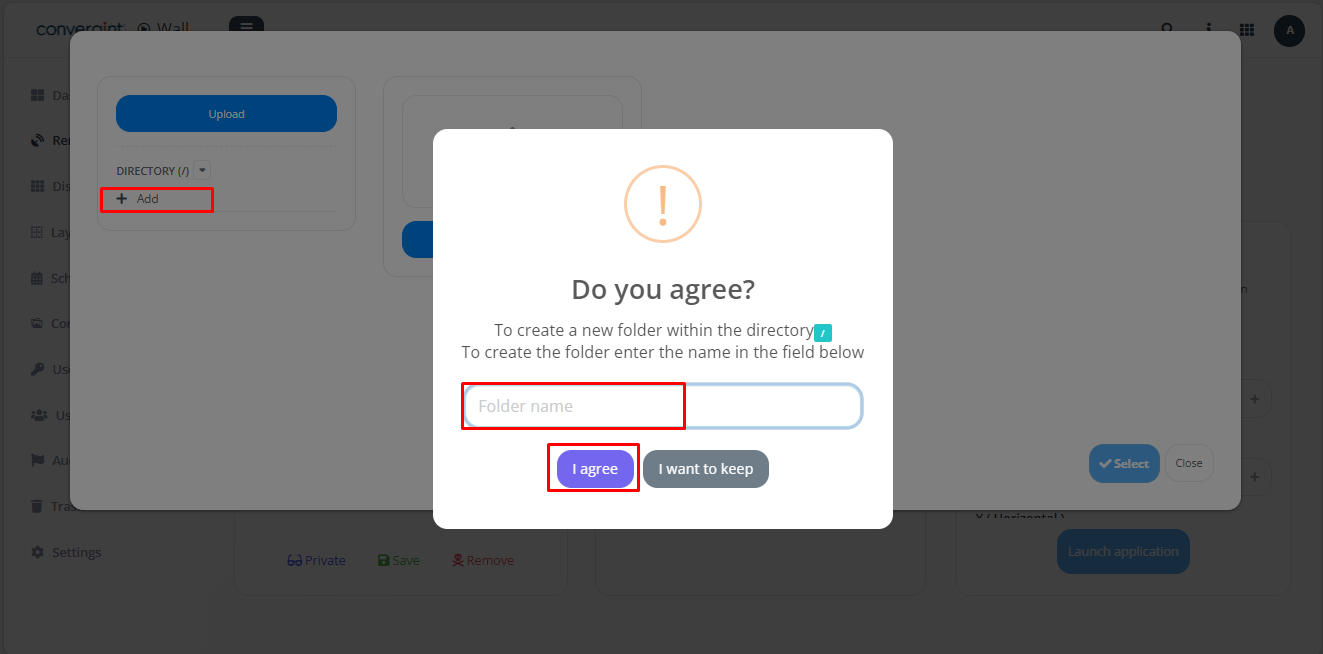
After following the previous steps, click on "Add" (highlighted) inside the directory and choose the desired name. Then select the "Agree" option (highlighted), and the directory will be created.
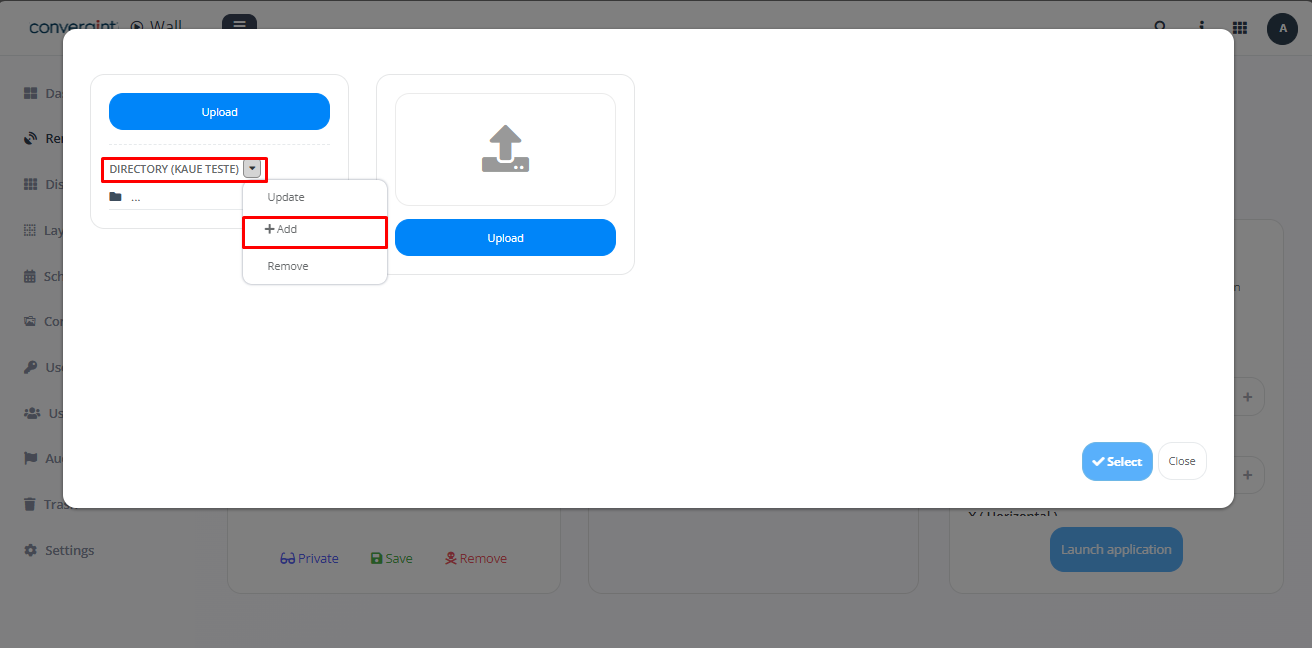
To create a directory within another directory, you need to access the previously created directory and then click on "Add" (highlighted) to create the new directory within it.
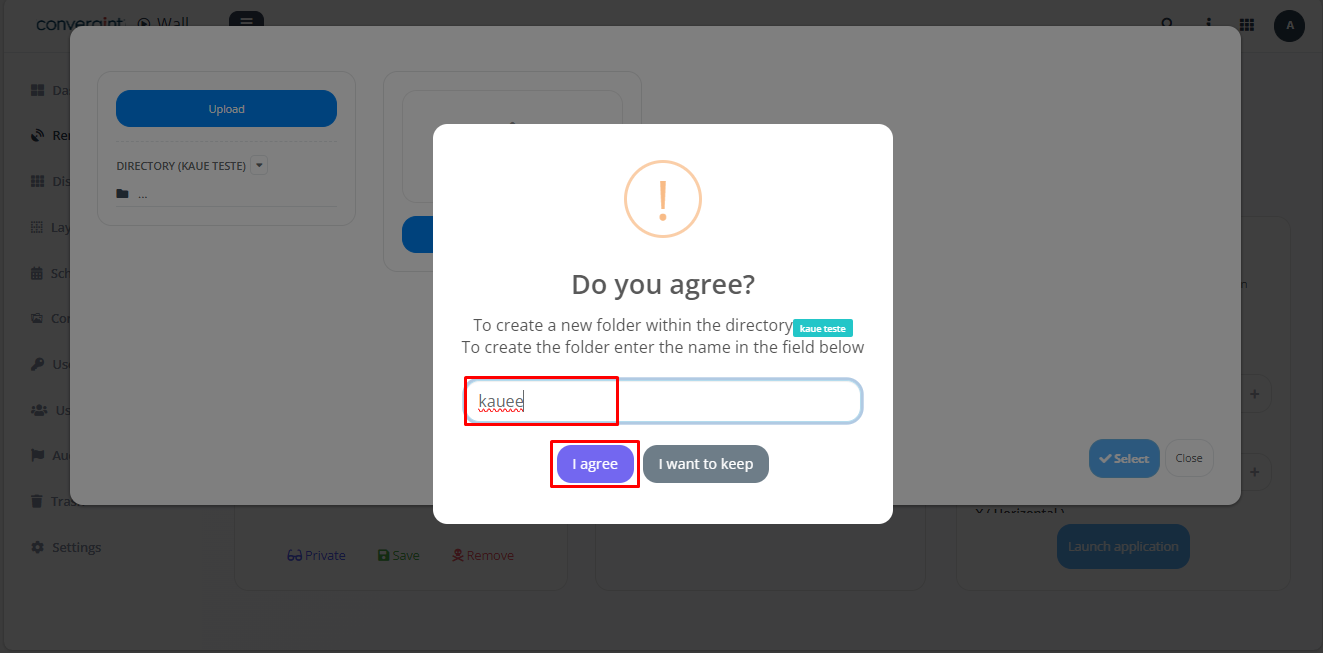
After following the previous steps, choose the name of your directory and select the "I agree" option. This will create your subdirectory.
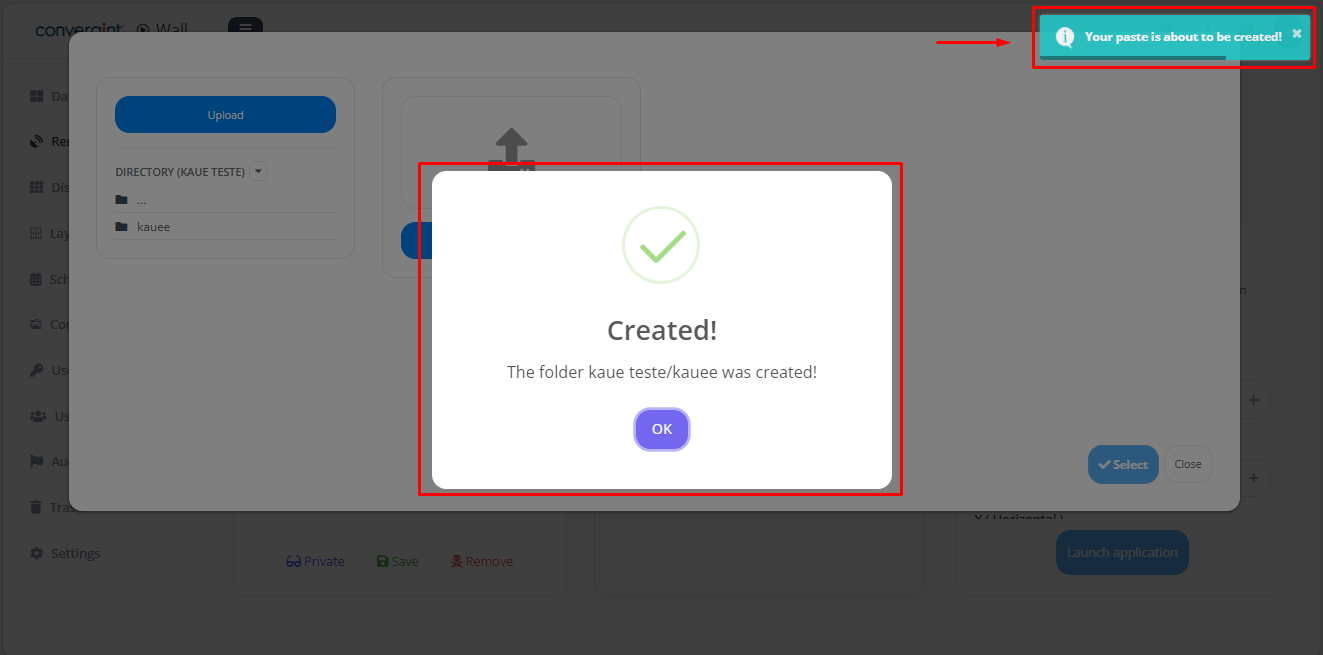
After following the steps above, your directory will be created.